Friday, 12 July 2013

First Draft sent

Today the first Draft was sent. What still remains to be done are:

  1. Introduction
  2. References
  3. Appendix
  4. Index
  5. Final editing
These will all be done this coming week.

Saturday, 6 July 2013

Group Meeting

Sorry for the late submission, yesterday we held a group meeting discussing the Layout of the manual, submission of respective parts to the group leader Shane for reviewing, budget for printing and also the first draft.

Layout of the manual:
  • Introduction:
    • What is Microsoft OneNote 2010
    • Intended audience
    • Acknowledgements
  • Chapter 1
    • OneNote Interface
    • In the Beginning there were Notes
    • What makes OneNote Special?
  • Chapter 2
    • Creation and Deletion
    • Tables in notes
    • Making notes and Formatting
  • Chapter 3
    • Note Dispersion
    • Linking to Other Applications
    • Sharing Notebooks

  • Chapter 4
    • OneNote and his Cousins

  • Chapter 5
    • Drawing 

  • Chapter 6
    • Researching
    • Spell check

  • Chapter 7

    • OneNote Web App
    • Customizing

  • Chapter 8 
    • Searching
    • Backing up and Restoring
  • References
  • Appendix

Submission of respective parts of project: All members are to submitted their parts of manual on Monday 8 July.

Budget: We discussed some ideas of what kind of paper we'll use and binding, we just need a cost.

First Draft: The first draft will be submitted this coming Friday 12 July.


Friday, 28 June 2013

New Topics

The group was assigned different topics to cover in the manual. Using information from the reference books we formulated topics that we should cover and each member was given a topics. All the member will write instructions on the given topics.
This is what we'll be doing in the coming weeks.

Thursday, 20 June 2013

Continuation (Week 3)

The group is still working on the assigned tasks given to them last week. A Google Document was setup for the creation of the manual. We are trying to manage our time around the other assignments that we have to complete for other courses. So far it has proven difficult but we will make it work. We've stayed in the group for all other projects to make it easier for us manage them.

Another reference book
Microsoft Office 2010 All-In-One for Dummies was added to our list. This book will be used to help us format how our manual will look. The information in the book is very useful as well. This book is also authored by Peter Weverka.

This week was a continuation of last week's tasks and we'll be updating our personal blogs as well.


Thursday, 13 June 2013

Assigned Tasks 2 (Week 2)


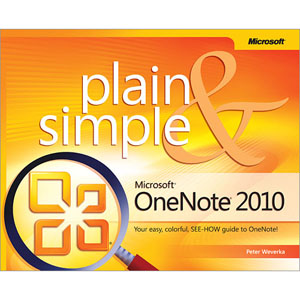
In the rest of the weeks now we'll be posting more information about how to do tasks in OneNote. Using the book Microsoft OneNote 2010 Plain and Simple by Peter Weverka as a guide. We'll also use other books for our references.


The tasks assigned for the group this week is preparing instructions for the project. This task will take approximately 2-3 weeks. Continuous blog posts here and on our personal blog surrounding this task is to be expected.

So far we've integrated OneNote into our class experience, using it at every oppourtunity to take notes and share with each other what we've learnt. At first OneNote seemed simple and easy to use but as time went by using the program we've devloped an appreciatication for it's complexity. It is truely worthy to be a vital part of the Microsoft Office Suite.


Thursday, 6 June 2013

Assigned tasks (Week 1)

Internship Programme

Group 3

This Group consists of the following members:

  • Shane Layne (Leader)
  • Himraj Bir
  • Peniel Melville
  • Dillon Del pino
This group was tasked to write a manual on Microsoft OneNote.

Tasks assigned to group members:
  1. Get familiar with the different aspects of the OneNote user interface.
  2. Each member was assigned a different tab on the Office Ribbon (i.e. File, Home, Insert, Share, Draw, Review or View). Himraj was assigned the Home and File tabs, Peniel was assigned the Insert and Share tabs, Dillon was assigned the Draw and Shane was assigned the Review and View tabs and other interface elements.
In the coming weeks these tabs will be explained and how to use these features will be documented.